Sprint 5 Checkpoint
Group Purpose
To make a budget-friendly travel planner that will allow users to find activities, hotels, restaurants, and much more.
To make an all-inclusive planning website for the city of Paris including:
- Activity Planner: Chatbot with ratings
- Lodging Listings: Hotel Search with ratings
- Packing Portal: Helps make a packing list
- Fair Fares: Searches for flights, using origin and destination
- Budget Brilliance: Allows users to input their budgets for different aspects
- Wellness Waypoints: Searches for hospitals, using map features
My Purpose
To create an activity planner that offers a rating system for 5 attractions in Paris:
- Eiffel Tower
- Louvre Museum
- Notre Dame Cathedral
- Palace of Versailles
- Champs-Elysees It will create ratings on a scale of 1-10 for each of the attractions, and allow users to create a new rating, update or edit their current rating, and delte their rating, as well as reading all of these raitings and using GET to refresh
Live Demo
- Frontend API request & response
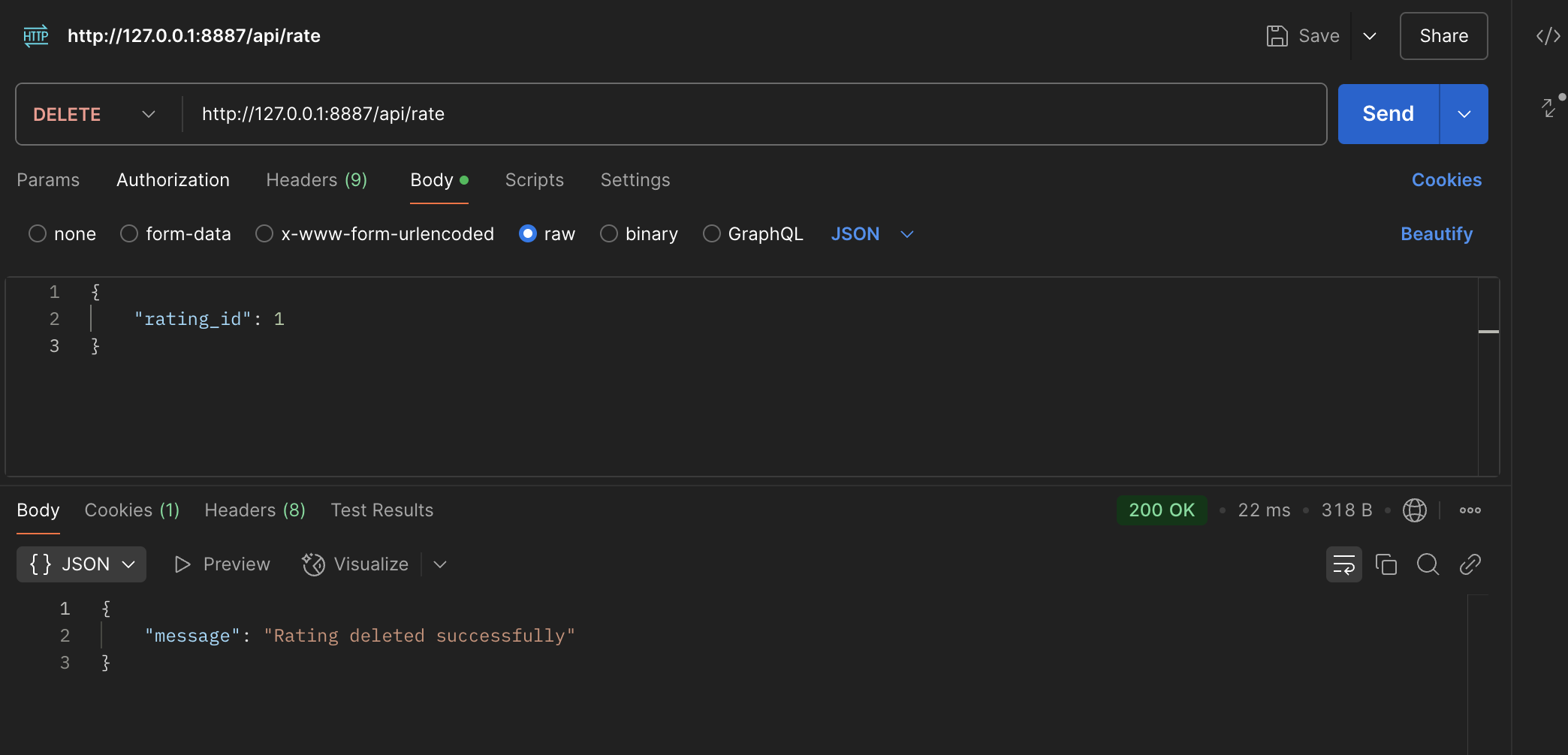
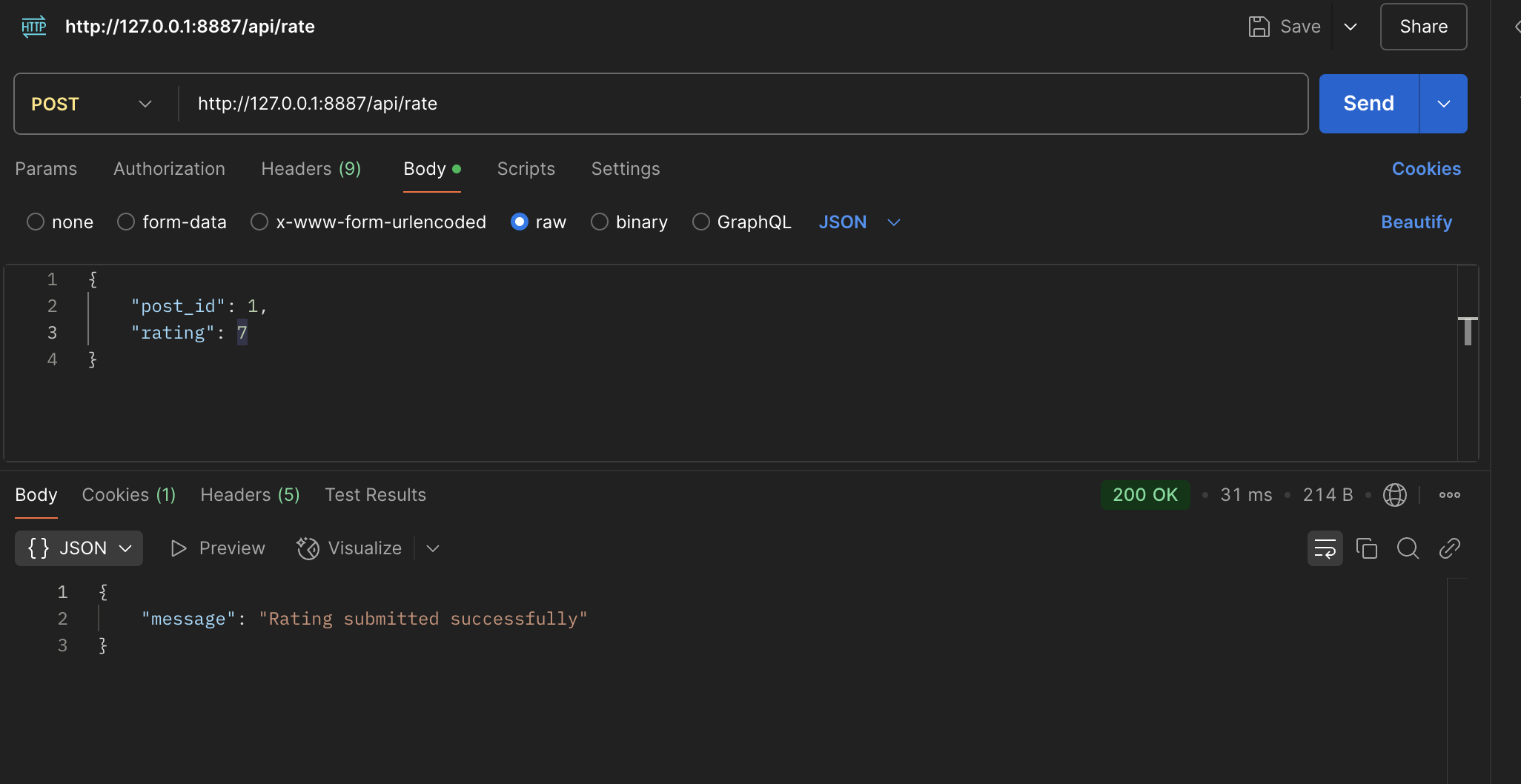
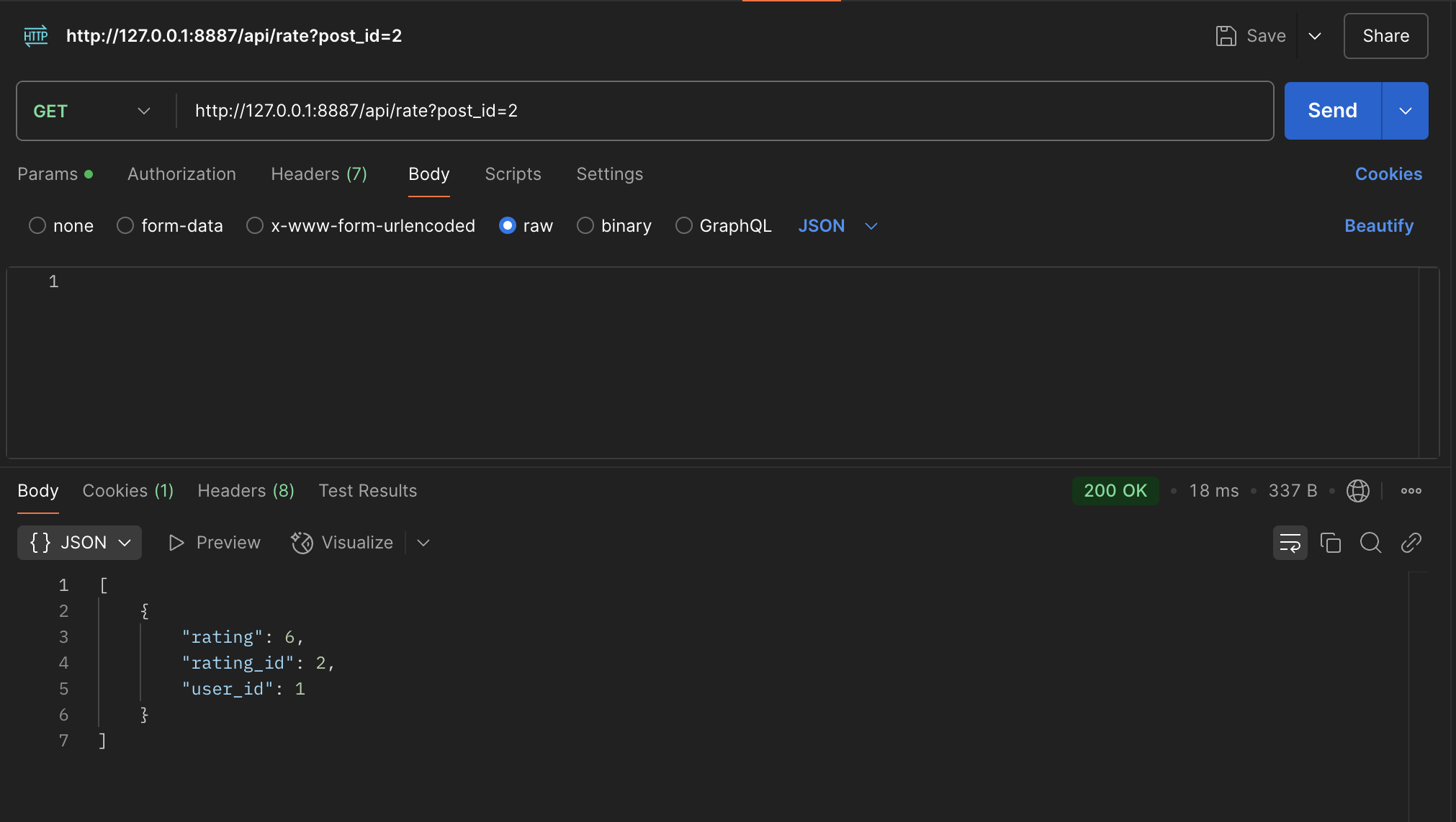
- Postman API request & response(error & JSON)
- Database creation and recovery
List Requests
Formatting Response Data (JSON) from API into DOM:
//contains data from the database
const data = await response.json();

if (data.length === 0) {
    table.innerHTML = "<tr><td colspan='3'>No ratings available.</td></tr>";
    return;
}

// Create table body
const body = document.createElement("tbody");
data.forEach((rating, index) => {
    const row = document.createElement("tr");

    row.innerHTML = `
        <td>${rating.rating}</td>
        <td>${rating.user_id}</td>
        <td>
            <button class="action-btn" id="update-btn-${index}">Update</button>
            <button class="action-btn" id="delete-btn-${index}">Delete</button>
        </td>
    `;

    //add the body in a new row
    body.appendChild(row);
});
table.appendChild(body);
The list is the Data constant.
This shows how the data, contains the response or the read/get function from the backend database, and it is verifying whether there is a rating, then it is creating a body and then iterating through every rating that is stored in the data, and creating a row with rating and user ID for every rating that exist. Then this row with the data and button options is appended to the existing table on the frontend.
Queries From Database
def get(self):
            """
            Retrieve ratings for a post.
            """
            post_id = request.args.get('post_id')

            # Validate post_id
            if not post_id:
                return jsonify({"message": "post_id is required"}), 400


            # Search the database for ratings with a specific POST ID
            ratings = Rate.query.filter_by(post_id=post_id).all()

            #format the ratings from database into a list of dictionaries
            ratings_list = [{"rating_id": r.id,"user_id": r.user_id, "rating": r.value} for r in ratings]
            return jsonify(ratings_list)
Flask and SQL alchemy
This is using the Flask and SQL Alchemy tools/libraries, through db.session commands, and g.current_user
The ratings variable is where the Database is queried and it is stored as a list to store mainly user ratings.
Columns in Database
class _CRUD(Resource):
        @token_required()
        def post(self):

            # Get the current user
            current_user = g.current_user
            data = request.get_json()
            post_id = data.get('post_id')
            rating_value = data.get('rating')

            if post_id is None or rating_value is None:
                return jsonify({"message": "post_id and rating are required"}), 400

            # Create a new rating entry
            rating = Rate(user_id=current_user.id, post_id=post_id, value=rating_value)

            # Add the rating to the database
            db.session.add(rating)
            db.session.commit()

            return jsonify({"message": "Rating submitted successfully"})
The POST method, or Create, works with the database columns which are the types of data, or the description of data in the table.
These columns are:
- Rating
- User
- Post ID
Algorithmic Code Request
CRUD Methods
class RateAPI:
    class _CRUD(Resource):
        @token_required()


        def post(self):

            # Get the current user
            current_user = g.current_user
            data = request.get_json()
            post_id = data.get('post_id')
            rating_value = data.get('rating')

            # Validate input
            if post_id is None or rating_value is None:
                return jsonify({"message": "post_id and rating are required"}), 400

            # Create a new rating entry
            rating = Rate(user_id=current_user.id, post_id=post_id, value=rating_value)

            # Add the rating to the database
            db.session.add(rating)
            db.session.commit()

            return jsonify({"message": "Rating submitted successfully"})

        @token_required()
        def get(self):
            post_id = request.args.get('post_id')
            if not post_id:
                return jsonify({"message": "post_id is required"}), 400

            ratings = Rate.query.filter_by(post_id=post_id).all()
            ratings_list = [{"rating_id": r.id,"user_id": r.user_id, "rating": r.value} for r in ratings]
            return jsonify(ratings_list)


        @token_required()
        def put(self):
            current_user = g.current_user
            data = request.get_json()
            rating_id = data.get('rating_id')
            new_rating_value = data.get('rating')

            if rating_id is None or new_rating_value is None:
                return jsonify({"message": "rating_id and new rating value are required"}), 400

            # Find the rating by ID and ensure it belongs to the current user
            rating = Rate.query.filter_by(id=rating_id, user_id=current_user.id).first()

            if not rating:
                return jsonify({"message": "Rating not found or not authorized"}), 404

            # Update the rating value
            rating.value = new_rating_value
            db.session.commit()

            return jsonify({"message": "Rating updated successfully"})

        @token_required()
        def delete(self):
            current_user = g.current_user
            data = request.get_json()
            rating_id = data.get('rating_id')

            if rating_id is None:
                return jsonify({"message": "rating_id is required"}), 400

            rating = Rate.query.filter_by(user_id=current_user.id, id=rating_id).first()
            if rating:
                db.session.delete(rating)
                db.session.commit()
                return jsonify({"message": "Rating deleted successfully"})
            else:
                return jsonify({"message": "Rating not found"}), 404
Post
The post creates an entry with a new rating
Get
The get queries and searches for a rating associated with an ID then returns that rating value
Put
The PUT queries for a particular rating ID and updates/changes the rating stored for that ID
Delete
Delete searches for a certain ID and deletes that row from the table.
Put Method with Sequencing, Selection, and Iteration
def put(self):
    current_user = g.current_user
    data = request.get_json()
    rating_id = data.get('rating_id')
    new_rating_value = data.get('rating')

    if rating_id is None or new_rating_value is None:
        return jsonify({"message": "rating_id and new rating value are required"}), 400

    # Find the rating by ID and ensure it belongs to the current user
    rating = Rate.query.filter_by(id=rating_id, user_id=current_user.id).first()

    if not rating:
        return jsonify({"message": "Rating not found or not authorized"}), 404

    # Update the rating value
    rating.value = new_rating_value
    db.session.commit()

    return jsonify({"message": "Rating updated successfully"})
The PUT method in the class shows sequencing through its retrieval of data, then its validation, and error handling, and then the interaction with the database.
In addition, it shows selection through the if statements, which help decide whether the data is fit to be entered into the table or not, contributing to the error handling.
Finally it shows iteration through the query of the database, where each row of the table is iterated through to find one with the right ID and user ID.
Parameter
The data is the parameter, which has the rating_id and new rating which needs to be updated
Return Type
The return type is a JSON, of the message indicating that either the rating has been updated successfully or whether there is an error.
Call to Algorithm Request
Update Rate Fetch to Endpoint
async function updateRate(index, newRating) {
        console.log(index)
        try {
            const response = await fetch(`${pythonURI}/api/rate`, {
                method: 'PUT',
                headers: {
                    'Accept': 'application/json',
                    'Content-Type': 'application/json',
                },
                body: JSON.stringify({
                    rating_id: index.rating_id,  // Use the correct ID for the rating to update
                    rating: newRating  // Pass the new rating value
                }),
            });

            if (!response.ok) {
                console.error('Failed to update rating:', response.statusText);
                return;
            }
            fetchAndDisplayRating();
            createRatingsTable();
        } catch (error) {
            console.error("Error updating rating:", error);
        }
    }
Explain:
This function called Update rate sends a put request, and uses the particular ID for the rating we want to change, an stores the new rating that is being updated and sends this to the backend which updates that row with an ID with the new rating. Then it checks the response for that request and sends an error if it doesn’t work. Then it makes sure to fetch these new entires and make a table with them.
Call/Request:
The updateRate function on the Frontend, sends a ‘PUT’ request to the /api/rate endpoint.
Response:
The response from the backend indicates that the request is successful or not, and this is prompted on the Frontend for the user.
Error Handling:
Normal Case:
The rating is updated, and this is refreshed and updated on the frontend page.
Error Case:
If the specific rating that is trying to be deleted is not found, or there is another error, the user will be prompted that there was an error updating the rating.